 Telepult.Web
Eco mode on a weak computer
Backgrounds, masks and beauty load the CPU and the graphics card. In 6.0 the remote simplifies the picture on weak machines by itself; if needed, you can turn on eco mode manually.
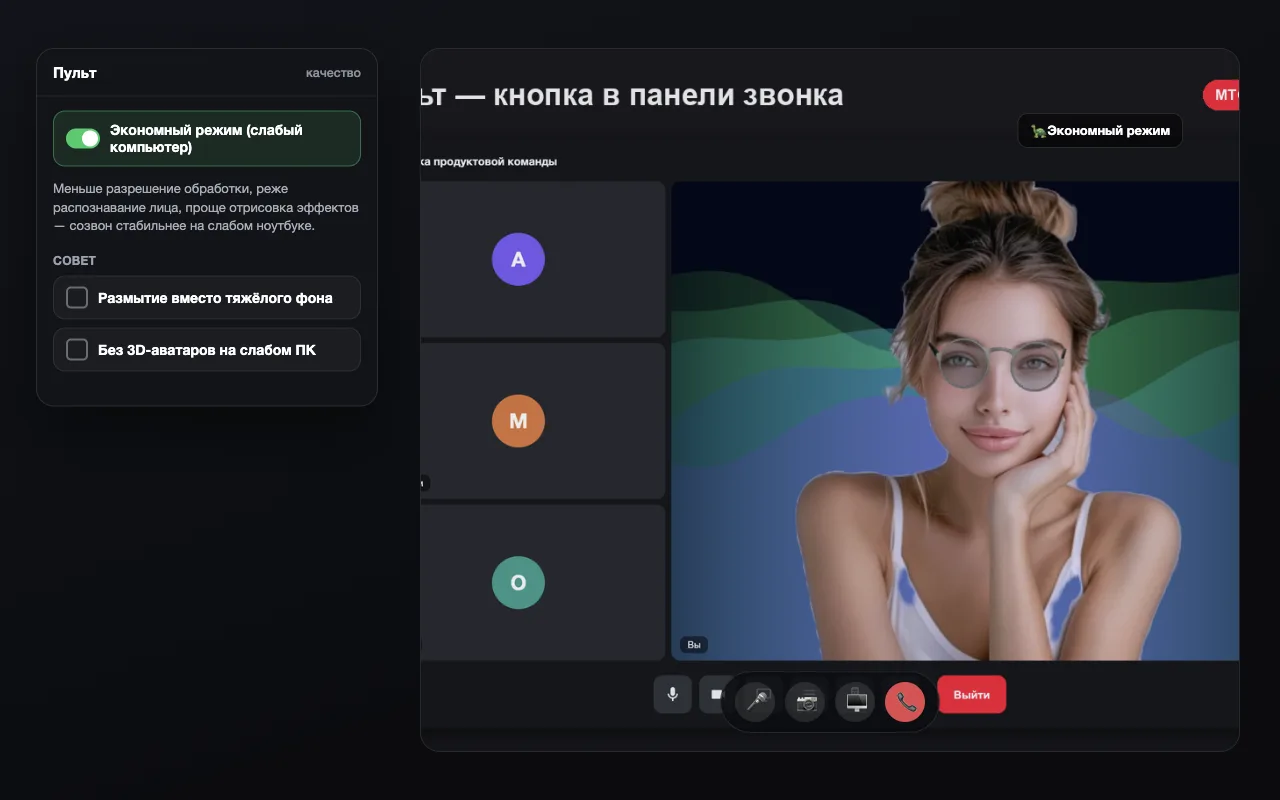
Step by step
- Install the extensionAdd Telepult.Web from the Chrome Web Store — in Chrome, Edge, Opera, Brave, Yandex Browser or another Chromium browser that supports Chrome extensions. It is free. Firefox has a separate build on addons.mozilla.org.
- Open a meetingOpen a meeting on any supported platform (Zoom, Meet, Teams, Telemost, MTS Link and others) and turn on your camera. The remote button appears — in the call toolbar or as a floating button.
- Find eco modeIn the remote, turn on Eco mode (weak computer) if the switch is available.
- Simplify the effectsOn a weak PC, background blur and simple masks run best; turn off 3D and heavy filters.
When the switch appears
The eco mode checkbox shows up on genuinely weak machines (old integrated graphics or low resources). A powerful PC may not have it — there you can keep a higher picture quality.
What the mode does
- Lowers the processing resolution
- Runs face detection less often
- Simplifies effect rendering
Try it for free
Telepult.Web installs in a minute: Chrome, Edge, Opera, Brave, Yandex Browser and other Chromium browsers — from the Chrome Web Store. There is a Firefox version too.
Install from the Chrome Web StoreFAQ
Will the background disappear in eco mode?
No, the effects stay, but the edges may get slightly simpler.
Is it free?
Yes, like the whole extension.