 Telepult.Web
How to blur or change your background on a video call
Telepult.Web adds background replacement to dozens of web call platforms: blur, ready-made and animated backgrounds, any image of yours. No green screen needed — you are cut out of the frame right in the browser.
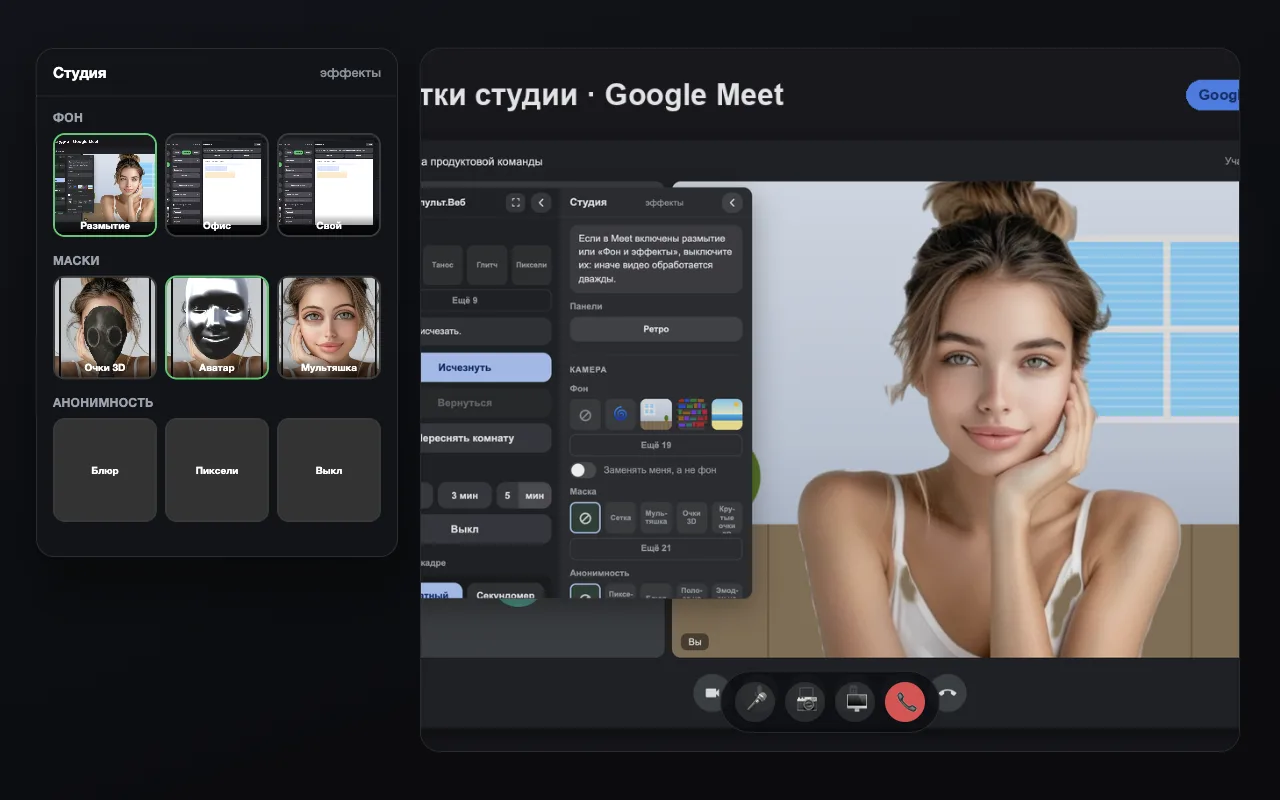
Step by step
- Install the extensionAdd Telepult.Web from the Chrome Web Store — in Chrome, Edge, Opera, Brave, Yandex Browser or another Chromium browser that supports Chrome extensions. It is free. Firefox has a separate build on addons.mozilla.org.
- Open a meetingOpen a meeting on any supported platform (Zoom, Meet, Teams, Telemost, MTS Link and others) and turn on your camera. The remote button appears — in the call toolbar or as a floating button.
- Pick a background in the StudioUnder Background, choose Blur or one of the ready-made backgrounds from the preview tiles.
- Set your own imagePress Your background… and pick a file from your computer. The background shows up in your video right away.
Which backgrounds are there
- Blur — the classic choice for work calls
- Ready-made backgrounds: office, bookshelf, studio, mountains, beach, city at night
- Animated backgrounds: space, ocean, rain, snow, aurora, matrix, neon
- Solid color and chroma key
- Any image of yours — a company logo, a photo, a branded background
Will others see my background?
Yes. The background is part of your video stream, so every participant sees it without the extension — in the browser and in the platform’s app.
Where does my video go?
Nowhere. The neural network that separates you from the background runs locally on your computer. The video never goes to the extension’s servers.
What else is in the Studio
2D and 3D masks, avatars with facial expressions, face blur or pixelation, a watermark and a news ticker over the video.
Try it for free
Telepult.Web installs in a minute: Chrome, Edge, Opera, Brave, Yandex Browser and other Chromium browsers — from the Chrome Web Store. There is a Firefox version too.
Install from the Chrome Web StoreFAQ
Can I use an animated background?
Yes: space, ocean, rain, snow, matrix and other animated backgrounds.
Do I need a green screen?
No. A neural network separates you from the background right in the browser.
Does it work on a weak computer?
Yes. Version 6.0 has an eco mode: on a weak PC the quality drops by itself. Blur is the lightest effect.