 Telepult.Web
How to step away from the camera unnoticed
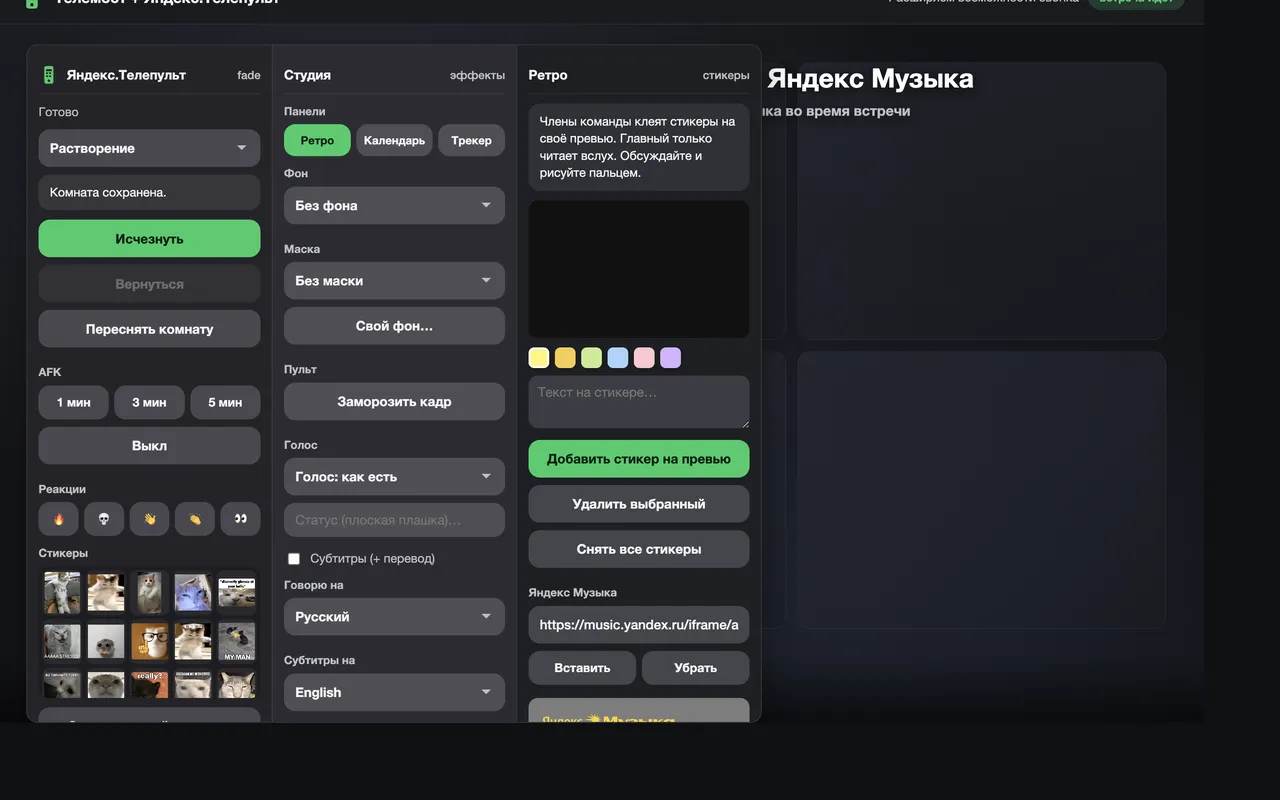
Sometimes you need to step away for a minute, and a switched-off camera raises questions. Telepult.Web can remove you from the frame: the others see an empty room. You can also turn on Live Photo, freeze the frame or show a “be right back” timer.
Step by step
- Capture the empty roomTurn on your camera, press Capture room in the remote and step out of the frame for a couple of seconds.
- Press VanishYou fade away smoothly and your room stays in the video. The vanishing effect is up to you.
- Come back with one buttonSit back down and press Return — you appear in the frame again.
Vanishing effects
- Fade out
- Thanos — crumble into dust
- Glitch and pixels
- Whirlwind, smoke, shards
- Old TV and portal
Live Photo and freeze frame
Live Photo is a short loop of live video instead of a dead still frame. Freeze frame stops the video on the current image when you need to look away for a second.
AFK timer
If you prefer to be honest: set a timer for 1, 3 or 5 minutes. A countdown badge appears on your video.
Try it for free
Telepult.Web installs in a minute: Chrome, Edge, Opera, Brave, Yandex Browser and other Chromium browsers — from the Chrome Web Store. There is a Firefox version too.
Install from the Chrome Web StoreFAQ
Will the others notice?
If you capture the room in the same lighting right before vanishing, a natural empty room stays in the frame.
Do the others need to install anything?
No. Everything happens in your video; the other participants see the result without the extension.