 Telepult.Web
How to change your voice and hide your face on a video call
Telepult.Web can change your voice and hide your face right during a call. Handy for anonymous interviews, pranks and team building.
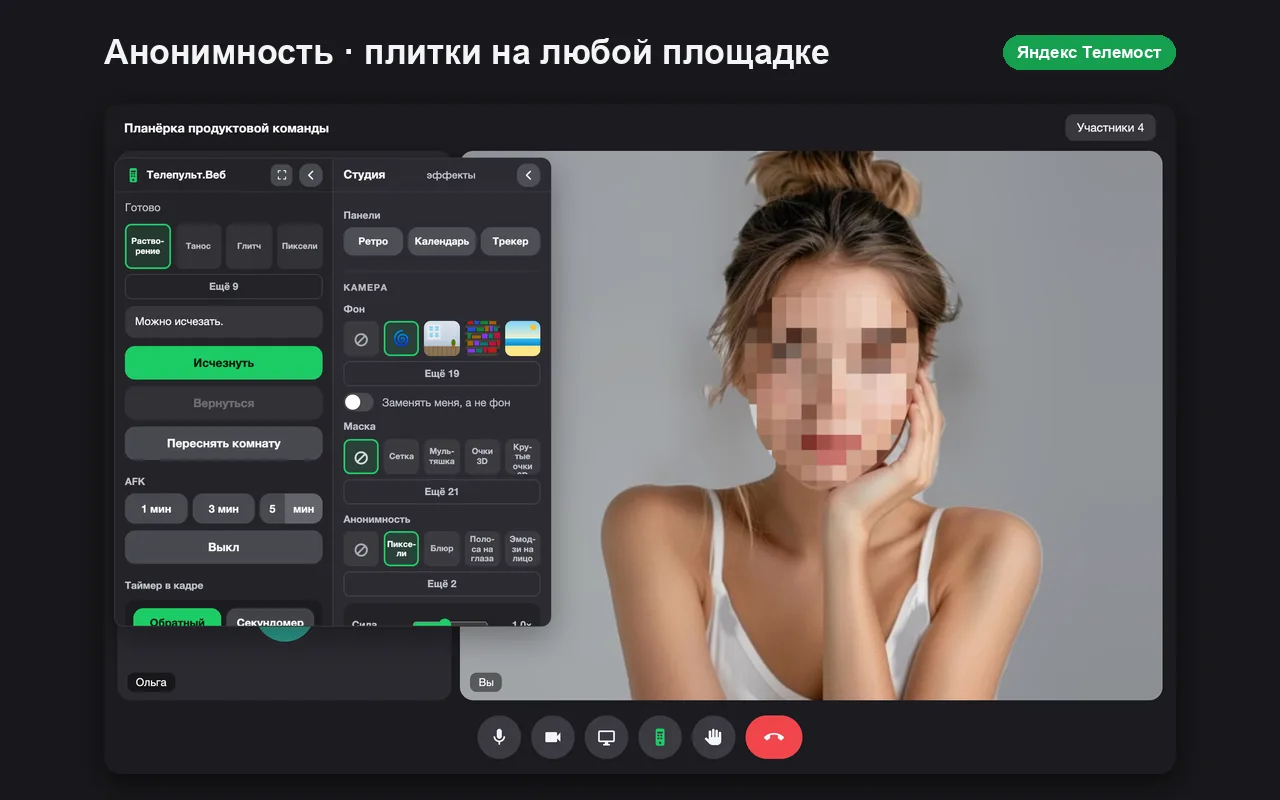
Step by step
- Install the extensionAdd Telepult.Web from the Chrome Web Store — in Chrome, Edge, Opera, Brave, Yandex Browser or another Chromium browser that supports Chrome extensions. It is free. Firefox has a separate build on addons.mozilla.org.
- Open the remote in a meetingTurn on your microphone and camera and press the remote button.
- Pick a voice effectUnder Voice, choose robot, telephone, echo, helium or deep.
- Hide your faceUnder Anonymity, choose blur, pixelation or another mode — the effect follows your face.
Voice effects
- Robot
- Telephone
- Echo
- Helium — a higher voice
- Deep — a lower voice
Anonymity
Blur, pixelation, an eye bar or an emoji over the face work locally: a neural network finds the face in the frame and covers only it.
Try it for free
Telepult.Web installs in a minute: Chrome, Edge, Opera, Brave, Yandex Browser and other Chromium browsers — from the Chrome Web Store. There is a Firefox version too.
Install from the Chrome Web StoreFAQ
Will the others hear the changed voice?
Yes, the effect is applied to your microphone before it goes to the call.
Is my voice sent anywhere?
No, audio is processed in your browser.