 Telepult.Web
Stickers, reactions and 3D masks on a video call
Bring a call to life: Telepult.Web adds animated stickers, emoji reactions, 2D and 3D masks and avatars with facial expressions to your video. Everyone in the meeting sees them.
Step by step
- Install the extensionAdd Telepult.Web from the Chrome Web Store — in Chrome, Edge, Opera, Brave, Yandex Browser or another Chromium browser that supports Chrome extensions. It is free. Firefox has a separate build on addons.mozilla.org.
- Open the remote in a meetingOpen a meeting on any supported platform (Zoom, Meet, Teams, Telemost, MTS Link and others) and turn on your camera. The remote button appears — in the call toolbar or as a floating button.
- Pick a sticker or a reactionClick a sticker and it appears right in your video. You can upload your own images (up to 2.5 MB).
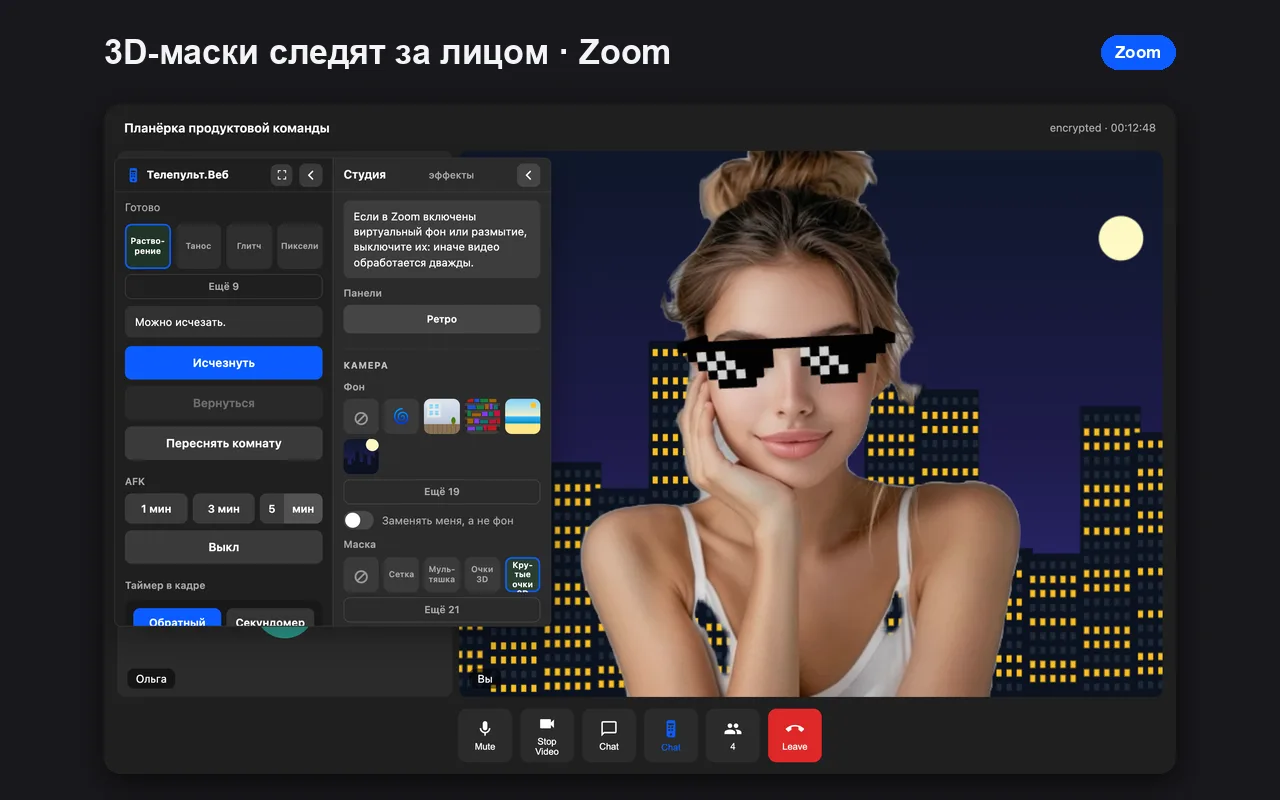
- Put on a mask or an avatarIn the Studio, pick a 2D or 3D mask from the preview tiles. 3D masks have sliders to fit your face.
What is there
- Emoji reactions that fly out into the video
- 40 animated stickers and uploads of your own
- 2D face masks and 3D accessories
- 3D avatars with facial expressions
- Finger drawing in the air — lines appear right on the video
- Retro board: the team sticks notes on the preview while the host reads them aloud
Voice changer
The remote has voice effects: robot, telephone, echo, helium (higher) and deep (lower). Good for pranks and team building.
Try it for free
Telepult.Web installs in a minute: Chrome, Edge, Opera, Brave, Yandex Browser and other Chromium browsers — from the Chrome Web Store. There is a Firefox version too.
Install from the Chrome Web StoreFAQ
Does everyone see the stickers?
Yes, they are part of your video stream.
Does it work in Yandex Browser and Firefox?
Yes. Chrome, Yandex Browser, Edge, Opera, Brave and Firefox get effects and masks; captions are available in Chromium (from the Chrome Web Store).