Vanish from the frame
Capture the empty room and fade away smoothly. Others see the background while you step away. One button brings you back.
Vanish from the frame, AFK timer, reactions and stickers, a studio with 3D masks, translated captions — right inside your Google Meet call. No servers: everything runs in your browser.
From the Chrome Web Store in Chromium browsers. Firefox gets its own build on AMO.
The extension interface is currently in Russian.
One panel on top of Google Meet: from “vanish for a minute” to translated captions, stickers and 3D masks — on 32 platforms for calls.
Capture the empty room and fade away smoothly. Others see the background while you step away. One button brings you back.
For 1, 3 or 5 minutes: a countdown badge appears on your video, so nobody wonders where you went.
Emoji and 40 animated stickers fly right into your video stream. You can upload your own.
Blur, your own background, 3D glasses and hats, avatars that copy your expressions, a cartoon filter. A studio look without a green screen.
Speak your language — the other side reads theirs. The language barrier no longer gets in the way. (Chrome and other Chromium browsers.)
Your script scrolls only on your screen — others never see it. Speed and font size are adjustable.
Hand gestures and drawing in the air: underline your point right on your video.
Picture presets, brightness, warmth and skin smoothing — right in the video stream, no extra apps.
The team sticks notes on the preview while the host reads them aloud. A retrospective without separate tools.
A short video: the remote, the effects and a live call.
Install Telepult.Web once and it works across dozens of web call services: pick a platform below or spin the dial at the top.
What works in which browser and how the remote fits into each platform.
Installs from the Chrome Web Store in any browser that supports Chrome extensions (Vivaldi and other Chromium browsers included). Firefox gets a separate build from addons.mozilla.org, without captions.
| Feature | Chrome | Yandex Browser | Edge | Opera | Brave | Firefox |
|---|---|---|---|---|---|---|
| Backgrounds, masks, stickers, AFK, vanishing | Yes | Yes | Yes | Yes | Yes | Yes |
| 3D masks and avatars | Yes | Yes | Yes | Yes | Yes | Yes |
| Teleprompter (only you see it) | Yes | Yes | Yes | Yes | Yes | Yes |
| Captions and translation | Yes | Yes | Yes | Yes | Yes | No |
| Filler word counter | Yes | Yes | Yes | Yes | Yes | No |
| 32 platforms (web calls) | Yes | Yes | Yes | Yes | Yes | Partly |
“In the call toolbar” — a button of its own inside the platform UI. “Floating button” — a universal adapter that leaves the site layout untouched.
| Platform | Adapter | Status |
|---|---|---|
| Yandex Telemost | In the call toolbar | Ready |
| MTS Link | In the call toolbar | Ready |
| Zoom | In the call toolbar | Ready |
| Google Meet | In the call toolbar | Ready |
| Microsoft Teams | In the call toolbar | Ready |
| SaluteJazz | In the call toolbar | Ready |
| VK Calls | In the call toolbar | Ready |
| Vizavi | In the call toolbar | Ready |
| Jitsi | Floating button | Ready |
| Kontur.Talk | Floating button | Ready |
| DION | Floating button | Ready |
| MAX | Floating button | Ready |
| Intermind | Floating button | Ready |
| Pruffme | Floating button | Ready |
| Discord | Floating button | Ready |
| Messenger | Floating button | Ready |
| Floating button | Ready | |
| Telegram | Floating button | Ready |
| Webex | Floating button | Ready |
| Whereby | Floating button | Ready |
| Slack | Floating button | Ready |
| GoTo Meeting | Floating button | Partly |
| Zoho Meeting | Floating button | Partly |
| RingCentral | Floating button | Ready |
| Element | Floating button | Ready |
| Gather | Floating button | Ready |
| Tencent Meeting | Floating button | Partly |
| Lark / Feishu | Floating button | Partly |
| DingTalk | Floating button | Ready |
| StreamYard | Floating button | Ready |
| Riverside | Floating button | Partly |
| Restream | Floating button | Ready |
The remote and the studio on real calls.
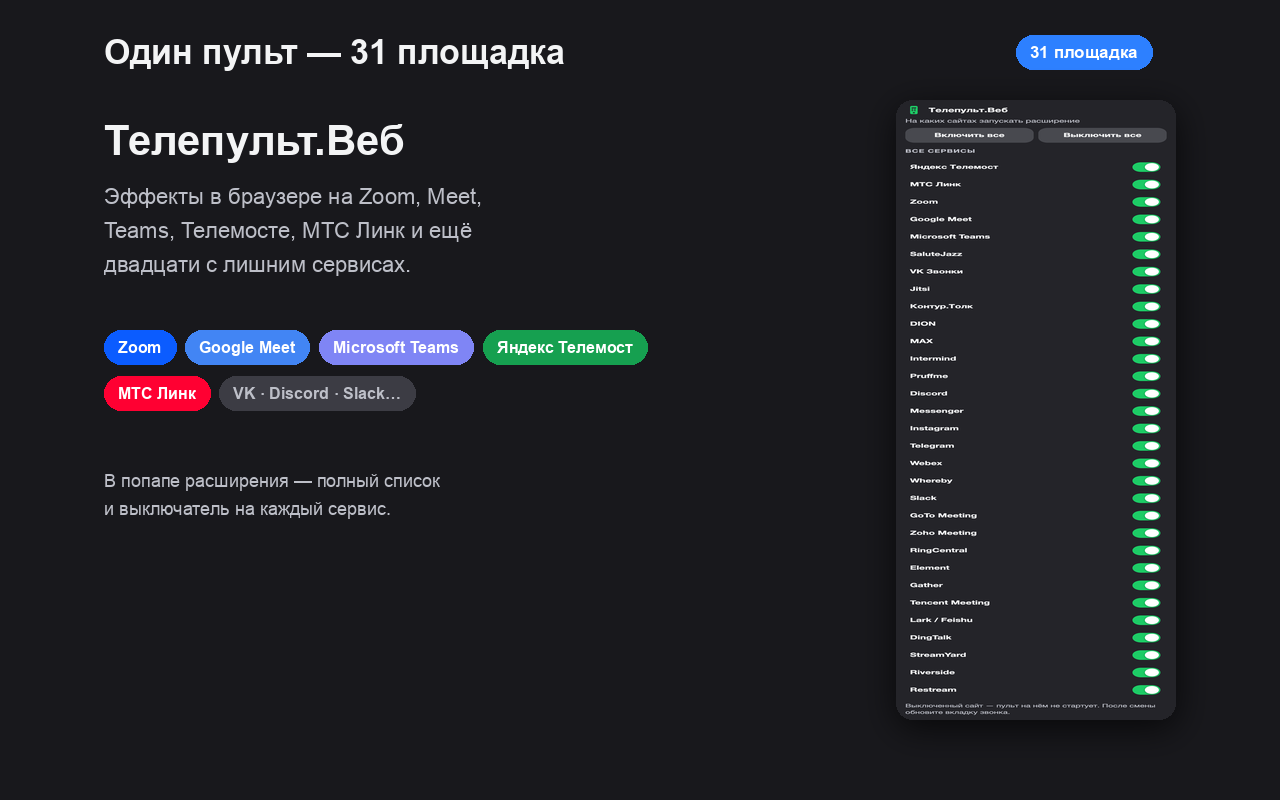
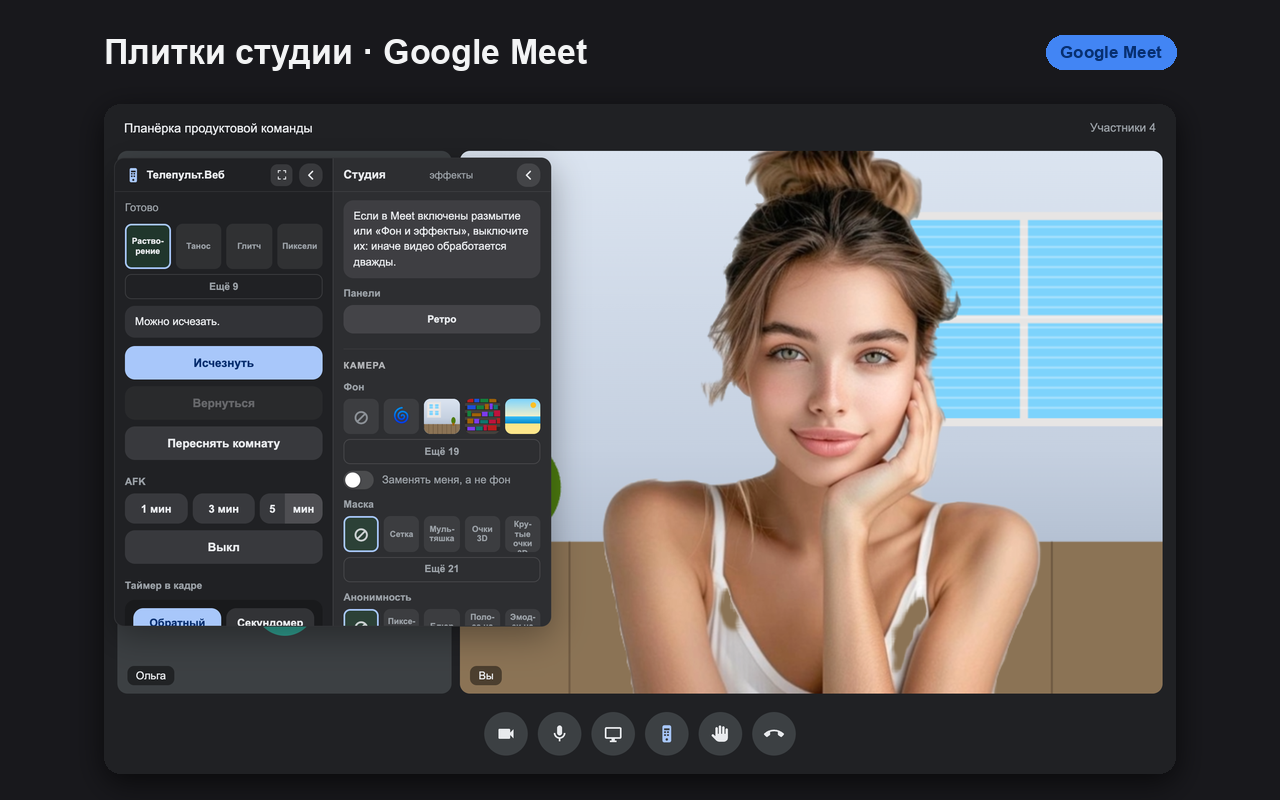
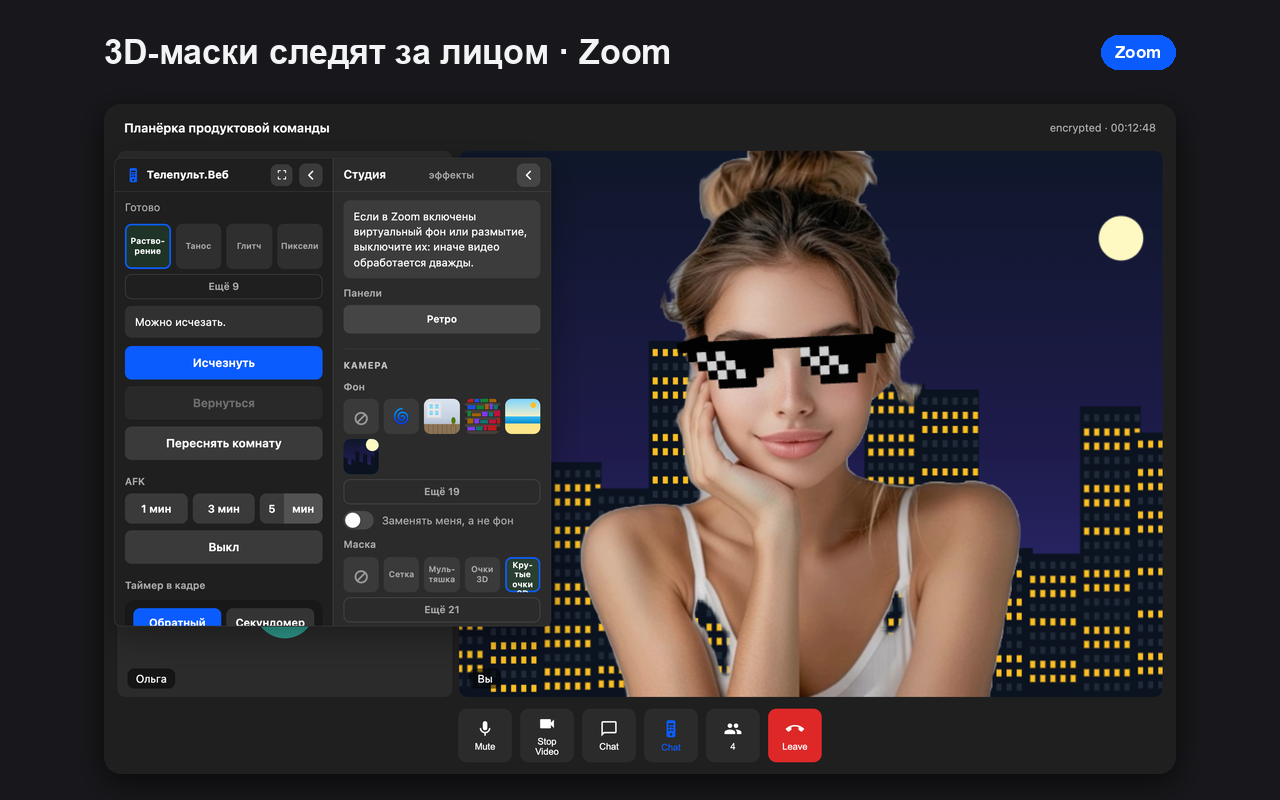
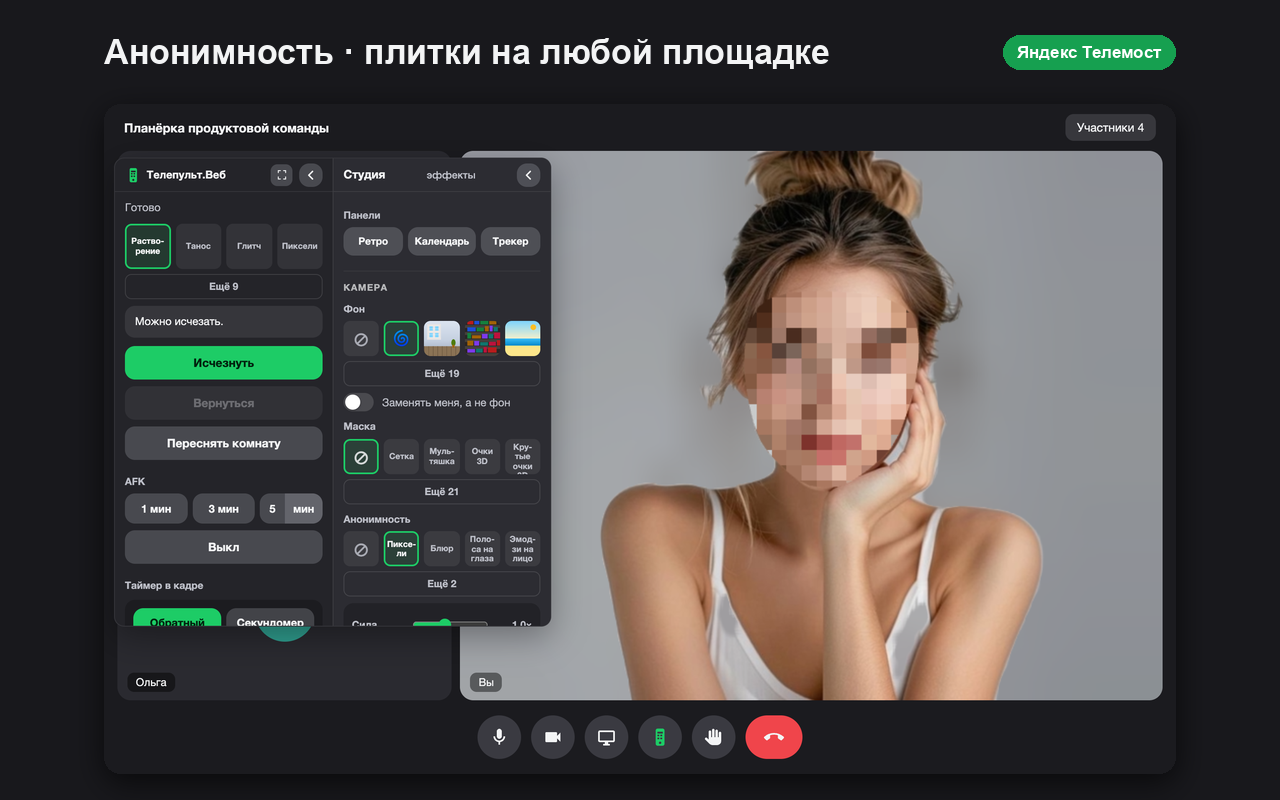
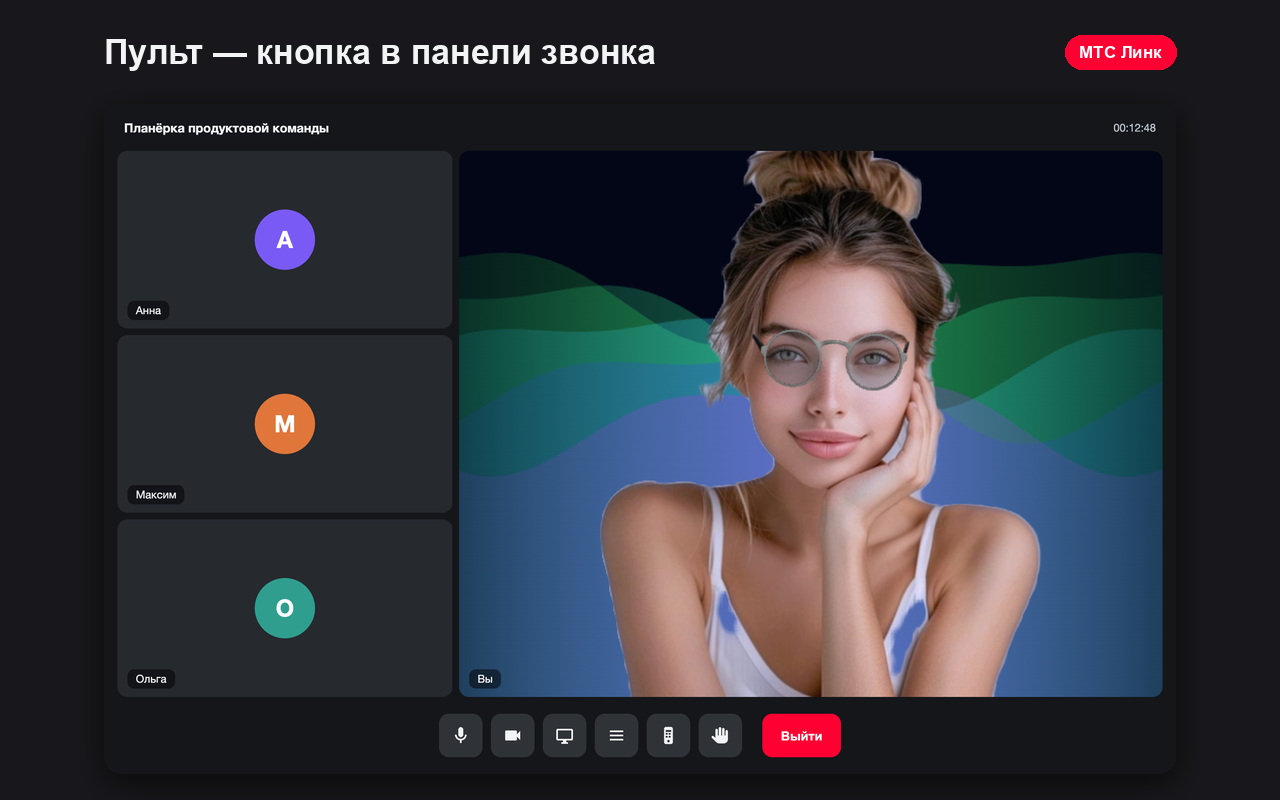
Install it — and the remote is already in your call toolbar.
Add Telepult.Web from the Chrome Web Store — in Chrome, Edge, Opera, Brave or Yandex Browser. Free.
Open Google Meet. The remote button appears in the call toolbar. Turn on your camera.
Background, masks, teleprompter, stickers and effects — all in one panel.
Backgrounds, teleprompter, masks and more — on any supported platform.
Step by step: blur your background, set your own image or an animated background on a web call. No green screen, free. Chrome, Edge, Yandex Browser and Firefox.
ReadHow to turn on captions and translate your speech into English and other languages during a web call. Chrome, Yandex Browser and other Chromium browsers.
ReadNeed to step away but cannot turn off your camera? Vanishing from the frame, Live Photo, freeze frame and an AFK timer for web calls. Free.
ReadAnimated stickers, emoji reactions, 3D masks and avatars with facial expressions right in your video call. Upload your own sticker. Free.
ReadVoice effects (robot, telephone, echo, helium, deep) and face blur or pixelation on a web call. A free extension for Chrome, Yandex Browser and other Chromium browsers.
ReadHow to turn on the Telepult.Web teleprompter: the text scrolls only on your screen and the others never see it. Speed and font size are adjustable.
ReadHow to turn on Light and beauty: picture presets, brightness, warmth, skin smoothing. Locally in the browser, free.
ReadHow to turn on Live Photo: a short live loop instead of a dead still frame when you need to step away from the camera.
ReadHow to put on 3D glasses, a hat or an avatar with facial expressions and fit it to your face. Free in Telepult.Web.
ReadHow to reduce the load of the remote on a weak laptop: eco mode, simpler effects, a steadier call.
ReadHow to pick a background, a mask and anonymity from preview tiles instead of long lists. New in version 6.0.
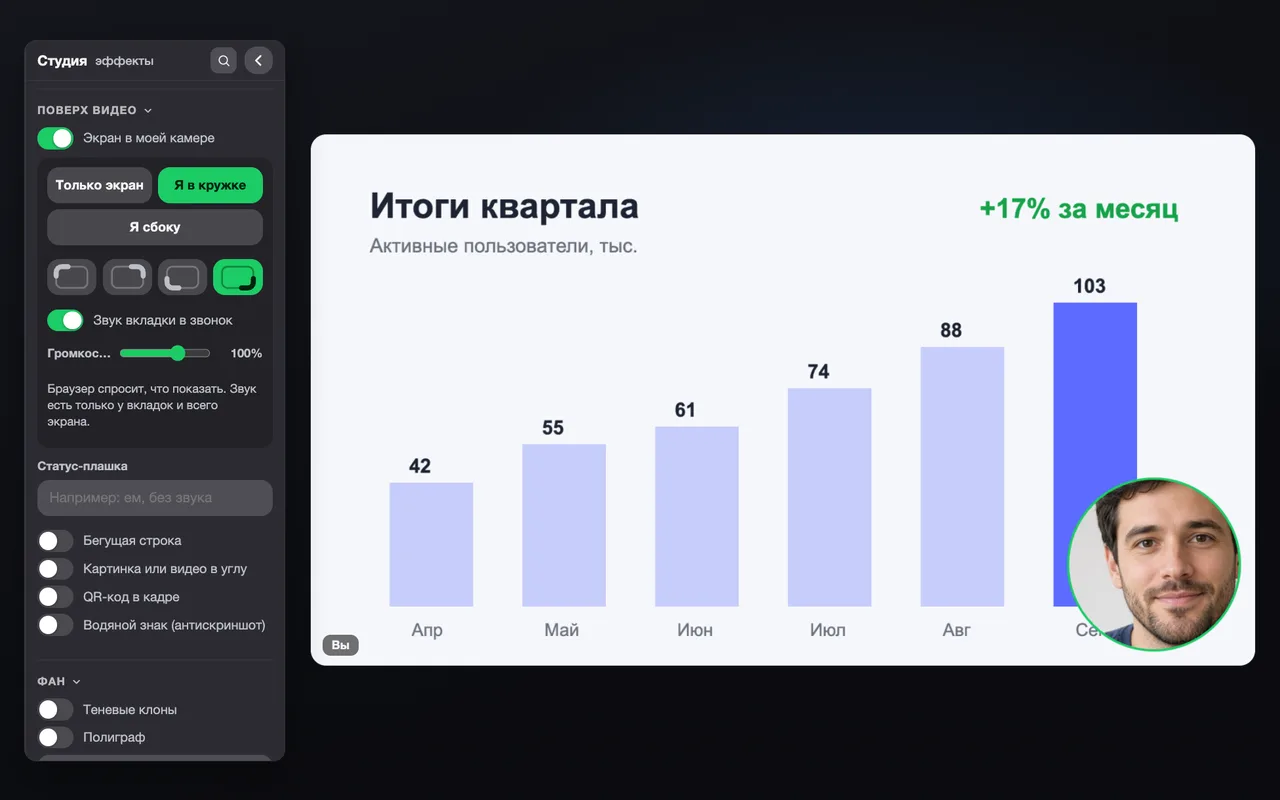
ReadThe biggest update since 6.0: a wheel of fortune and a group photo of the whole call, a polygraph and shadow clones, screen sharing right inside your camera, a business card instead of the camera, a background guard, voice commands and a new panel with groups, pinning and search.
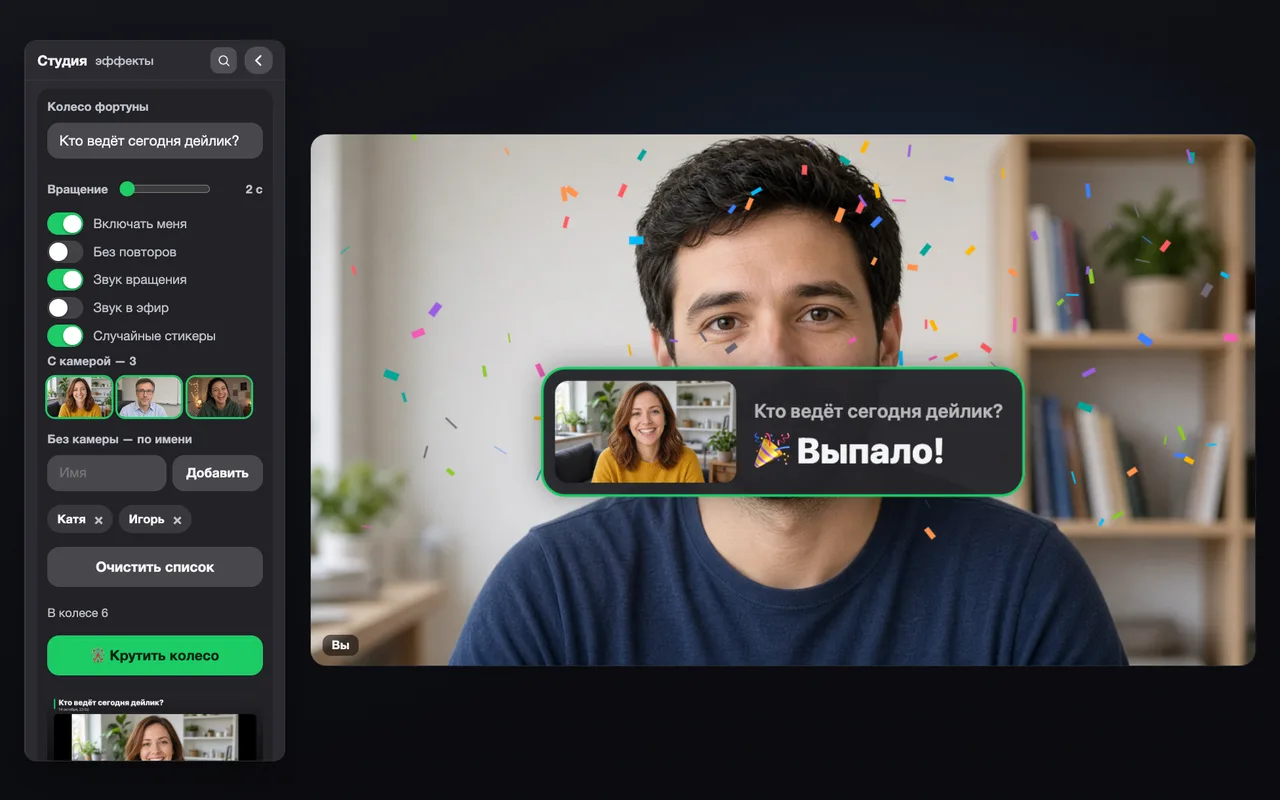

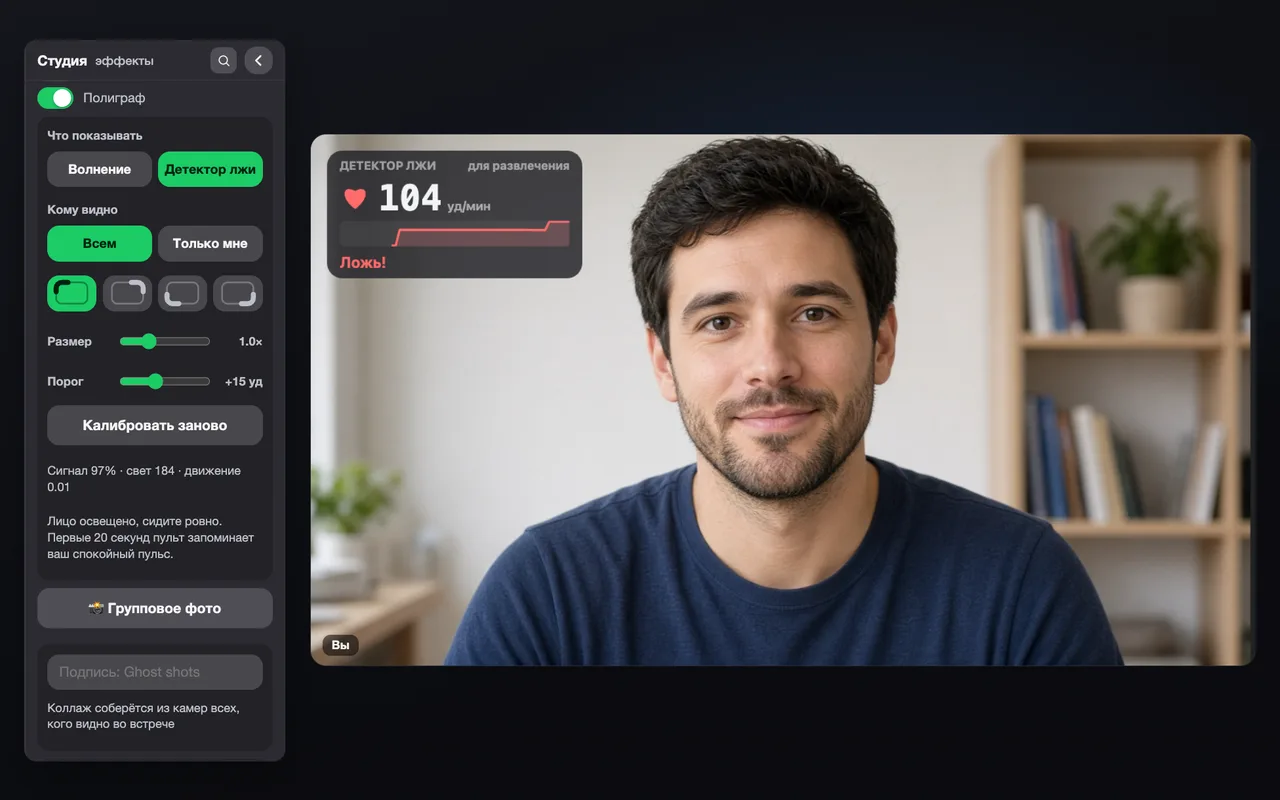
Who runs the daily, who does the review, who pays for pizza — the wheel spins right in your video and everyone sees the result.
Learn moreA 3-2-1 countdown in your video — and a collage of everyone’s cameras with a caption. Save it, copy it or show it to all.
Learn moreComic, pencil, pixel art, cartoon and neon — your whole video in one artistic style.
Learn moreDelayed copies trail behind you — transparent, shadows, colored or rainbow. Every move becomes a trail.
Learn moreYour pulse from the camera in real time: an excitement meter or a “lie detector” that flashes “Lie!” when your heart speeds up.
Learn moreShow a tab or your screen right in your camera video — with yourself in a circle or at the side. The tab’s audio goes to the call.
Learn moreA mockup, a chart or a clip in the corner of your video. Videos play with sound — both you and the others hear it.
Learn moreThe camera is off, but instead of a black square there is your photo, a 3D avatar, a card with your name and role or a “be right back” screen.
Learn moreSomeone walks into the room behind you — their face blurs automatically or the frame freezes. Nothing extra goes on air.
Learn moreMasks, avatars and anonymity land on every face in the frame, and all hands can draw in the air at once.
Learn moreCaptions and translation now work for the other participants too: choose Mine, Others or Everyone.
Learn moreSay “Pult, vanish” or “Pult, spin the wheel” in Russian — your hands stay free and the panel can stay closed.
Learn moreZoom in with a pinch or bring an object up to the camera — the remote zooms on its own. Auto frame keeps your face larger.
Learn moreFeatures are sorted into groups, favorites are pinned on top, and “/” search finds any feature even with a typo.
Learn moreFrontend developer, Vue. Remote. 10+ years in frontend: complex SPAs, integrations, CI/CD, code review and team onboarding.
The extension is free. If Telepult.Web saves your nerves on calls, drop a line or donate via the QR code. It helps the product grow.
rakoty1111 [at] gmail.com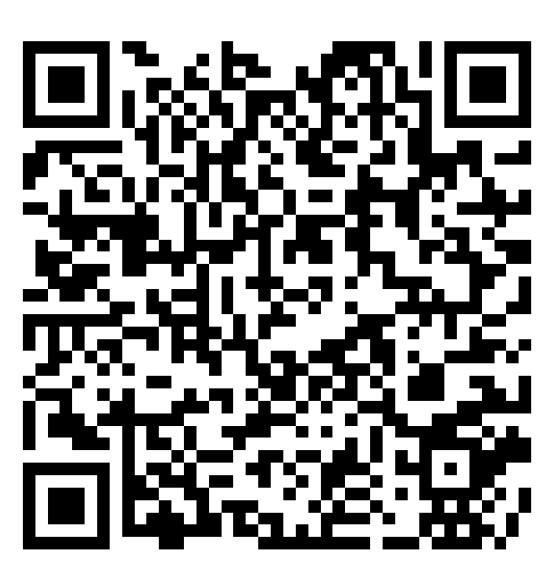 Scan the QR code
Privacy, installation and compatibility in brief.
Backgrounds, masks, teleprompter, captions and vanishing from the frame — on 32 platforms, free in Chrome, Edge, Opera, Brave, Yandex Browser and Firefox.